Forward receipts to Cently by email
July 1, 2026
Receipts usually show up in the least organized place possible: your inbox.
You buy something online, get the confirmation email, and then forget about it until you need proof of the purchase. Maybe it matters for a return. Maybe you want to understand what was inside a larger transaction. Maybe you just want your spending history to make sense later.
Now you can forward receipt emails straight to Cently.
Send them to receipts@inbox.cently.ai, and Cently will import the receipt, read the details, and match it to the right transaction when it can.
Why we built it
Uploading receipts from the app works well when the receipt is a photo, screenshot, or file sitting in front of you.
But email receipts are different. They already live in your inbox, and downloading them just to upload them somewhere else adds friction. That extra step is usually enough to make people skip it.
Receipt forwarding removes that step. When a receipt lands in your inbox, you can send it to Cently and move on.
How it works
Forward a receipt email from your Cently account email to receipts@inbox.cently.ai.
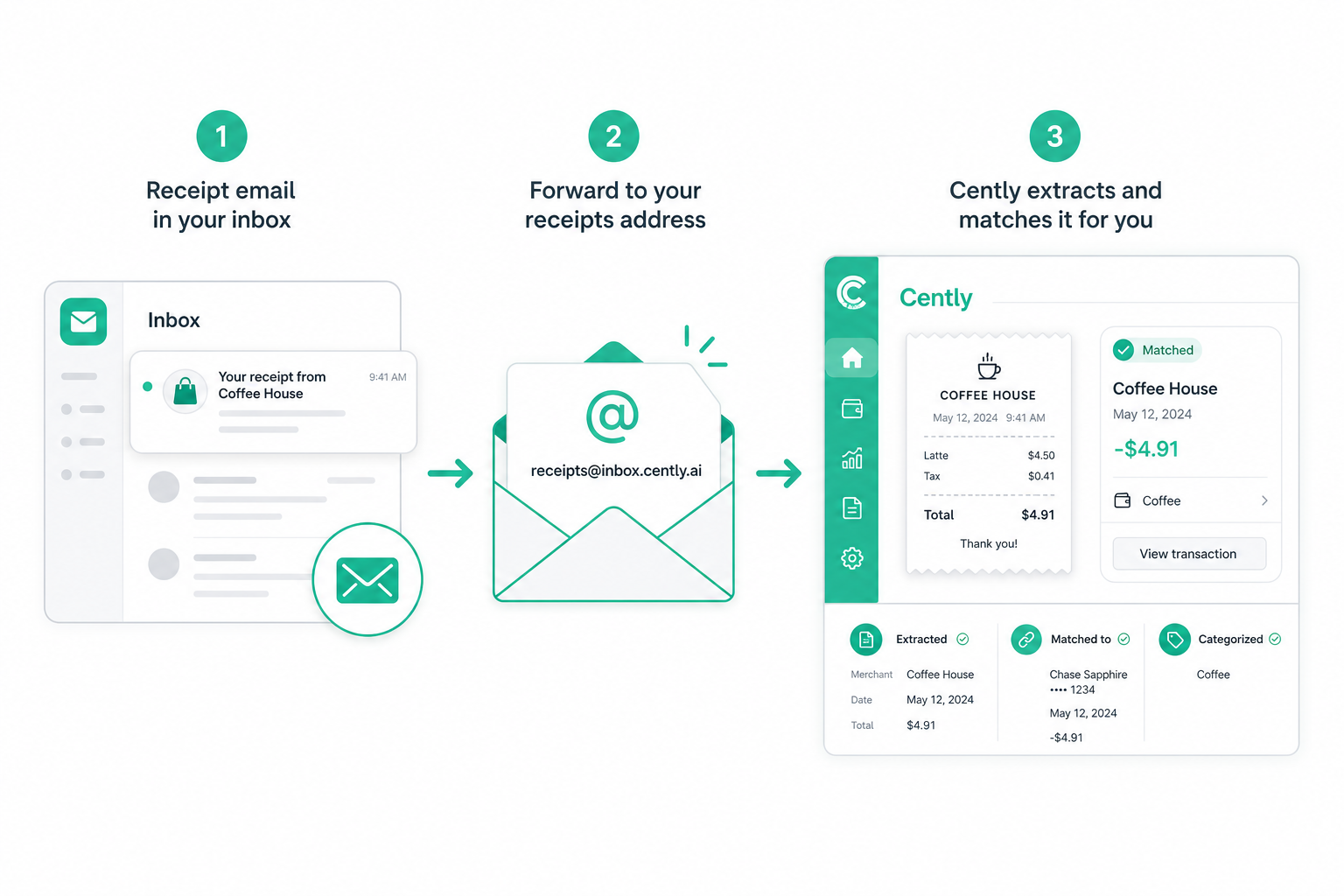
Cently will look for receipt details in the email body and any supported attachments. Then it creates the receipt, extracts key fields like merchant, total, date, and line items, and tries to connect it to the matching transaction in your account.
If you use a different email address for shopping, you can add it as a verified forwarding address in Settings. Once it’s verified, receipts from that address can be imported too.
What you can forward
Start with the receipts you already get by email:
- online orders
- subscriptions
- travel confirmations
- restaurant or delivery receipts
- PDF or image receipt attachments
The goal is simple: keep the receipt with the transaction so you don’t have to search your inbox later.
Where to set it up
Open Cently, go to Settings, and look for Receipt Forwarding.
You’ll see the forwarding address, a copy button, and a list of email addresses allowed to forward receipts into your account. Your account email works by default. Any other address needs to be verified first so receipts go to the right account.
A small habit that pays off later
Receipt forwarding is one of those features that feels boring until you need it.
When you’re checking a charge, reviewing a budget category, or trying to remember what was in a bundled order, the receipt is already there. No digging through email. No mystery transaction. Just the purchase details next to the spending record.