How to track spending across multiple bank accounts
June 4, 2026
Tracking one account is easy. Tracking three checking accounts, two cards, and a separate savings account is where most systems break.
The result is familiar: duplicate subscriptions, missed transactions, and budgets that look "right" but feel wrong.
You do not need a more complicated budget. You need a cleaner system.
Why multi-account tracking feels hard
Most people run into the same four issues:
- Data is split across multiple apps and statements
- Categories are inconsistent between institutions
- Some accounts connect automatically, others do not
- Reviews happen too late to change behavior
If this sounds familiar, your setup is the problem, not your discipline.
Build one source of truth first
Your first goal is simple: one place to review all transactions.
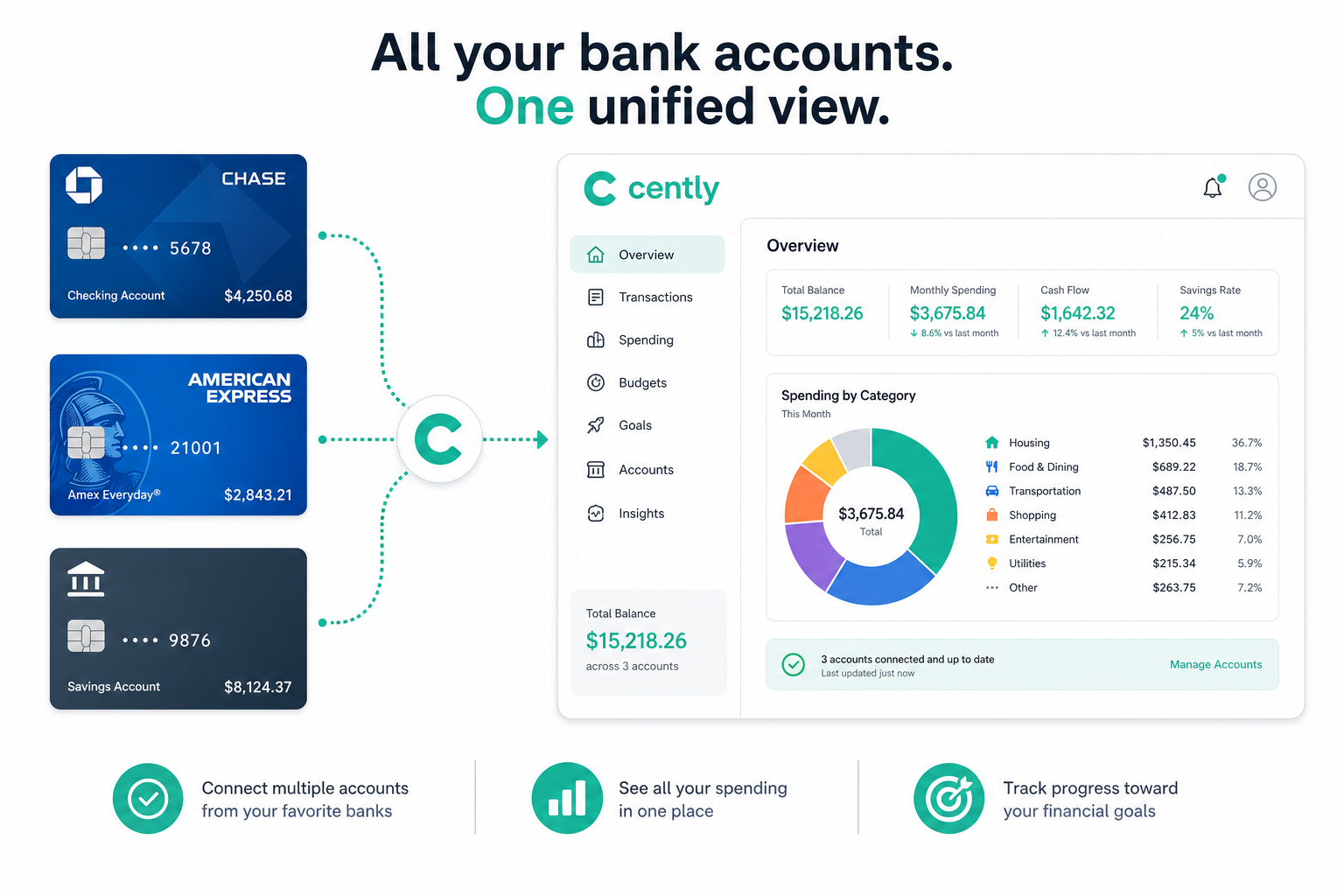
That includes:
- linked checking and credit accounts
- any account you need to import by CSV
- receipts for purchases that need extra context
In Cently, you can combine linked institutions and CSV imports, then view spending in one dashboard on web, iOS, or Android.
Normalize categories once, then keep them stable
A big reason multi-account budgets fail is category drift. One bank marks something as "Food and Drink," another marks it as "Restaurants," and your summary becomes noisy.
Pick a small category set and keep it consistent month to month:
- groceries
- dining
- transportation
- shopping
- subscriptions
- utilities
You can always expand later, but consistency matters more than granularity at the start.
Review by account and by category
A useful monthly review has two passes:
- Account pass: confirm every account is syncing and no big transactions are missing.
- Category pass: compare category totals to last month and current budget targets.
This catches both technical issues (missing data) and behavior issues (overspending trends).
Use questions that surface change quickly
When data is spread across accounts, broad questions help:
Which merchants increased the most this month across all my accounts?
What categories are pacing over budget if current spending continues?
Which subscriptions hit multiple cards?
These questions are better than manually searching each account separately.
Keep receipts tied to the right transaction
If you ever need records for reimbursements, taxes, or simple peace of mind, this step matters.
Link receipts to transactions while the purchase is fresh. Waiting until year-end creates unnecessary cleanup work.
If you are comparing options, see how receipt workflows and AI analysis differ in Cently vs alternatives in the compare hub.
A practical weekly routine
You do not need daily micromanagement. A short weekly check is enough for most people:
- confirm account sync status
- review unusual transactions
- clear any uncategorized items
- check budget pacing alerts
Then run one deeper monthly review to adjust limits and targets.
Common mistakes to avoid
- Running separate budgets per account instead of one unified view
- Creating too many categories too early
- Ignoring imported accounts because they are "manual"
- Reviewing spending only after the month closes
Simple, consistent reviews beat complex systems every time.
What success looks like
A strong multi-account setup should let you answer these in under five minutes:
- What did I spend this month across all accounts?
- Which category is most likely to go over budget?
- What changed compared to last month?
If you can answer those quickly, your system is working.
For the next step, read Where does my money go each month? or start your trial at /auth.